Akro Scan

Scan and sign your paperwork, simply.

Lay the page down, hold the phone above it: the photo takes itself. Sign with your finger, send.

Coming soon to the App Store 7-day free trial, then €0.99 a month
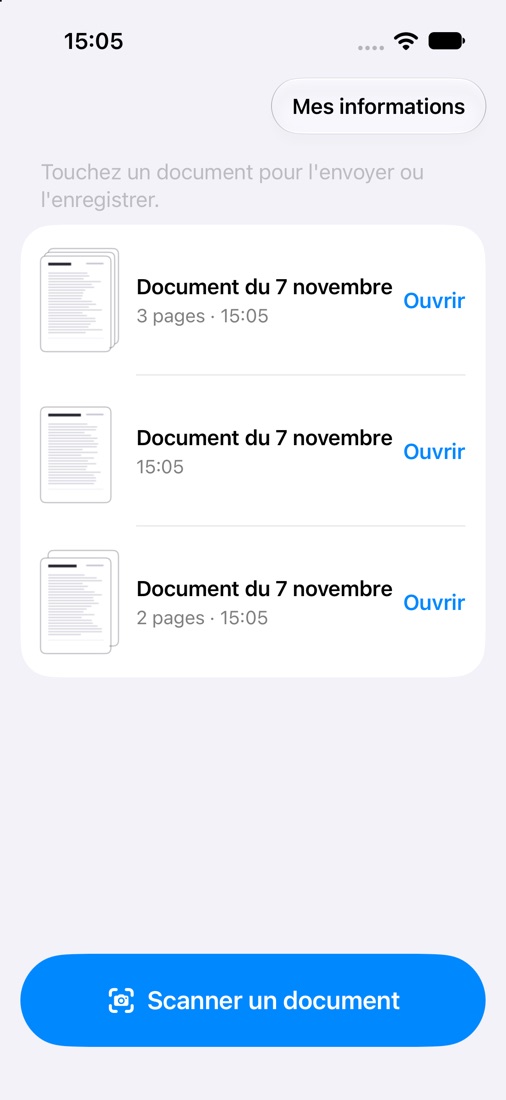
The document list in Akro Scan, with the Scan a document button

Three steps, no more

Every button says what it does, in plain words. No hidden menus, no jargon.

Scan

The page is found, photographed and straightened on its own. Several pages? Tap "Add a page".

Sign

Tap the page where you want to sign: your signature lands there. Your initials go on every page in one tap.

Send

By email, message or WhatsApp, or save the document to Photos or Files.

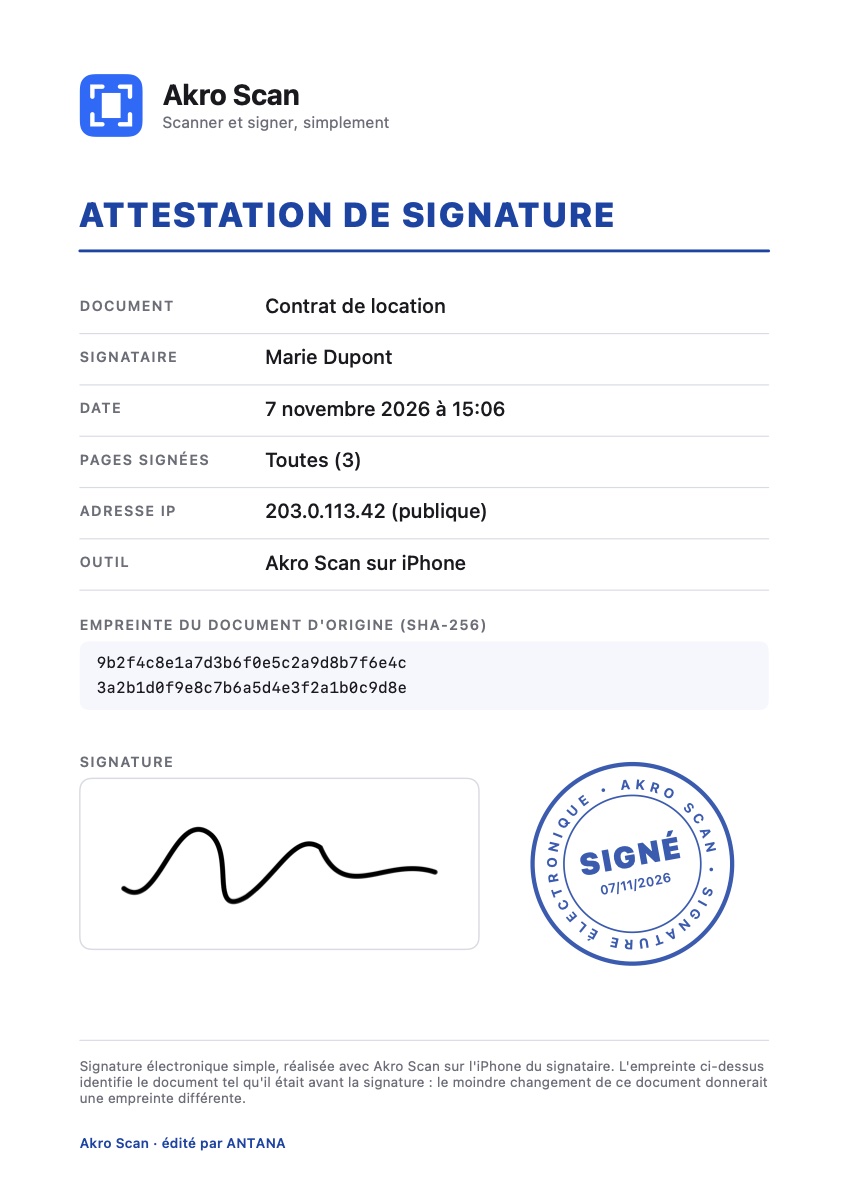
Example of the Signature certificate page added by Akro Scan, with a Signed stamp

A signature that leaves a record

Each time you sign, Akro Scan adds a certificate page at the end of the document.

  • The signer's name, date and time
  • The pages signed
  • The IP address of the connection at signing time
  • The fingerprint of the original document: the slightest change would give a different fingerprint

This is a simple electronic signature. You can remove a signature at any time: the document goes back to how it was. The certificate shown is in French.

Made for everyone

Simple enough for a grandmother to use alone

Big labelled buttons, one thing to do per screen, a confirmation before anything is deleted. To sign, the screen turns sideways to give you all the room.

Your papers stay with you

No account, no ads, no tracking. Documents, name and signature stay on your iPhone, in the Akro Scan folder of the Files app. Privacy policy